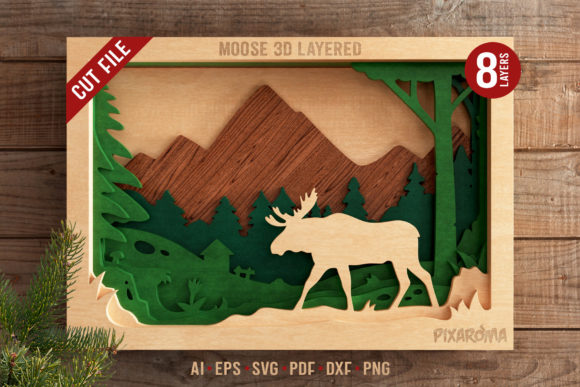
Moose 3D Layered SVG Cut File
Bringing a touch of the wild into your interior design doesn’t require hunting through forests or commissioning expensive custom art. It starts with precision, creativity, and the right digital assets. The Moose 3D Layered SVG Cut File is exactly that kind of asset—a versatile, high-quality digital template designed to transform flat materials into striking three-dimensional wall art. Whether you are a seasoned crafter looking to expand your product line or a hobbyist wanting to add a unique focal point to your living room, this file offers a structured yet flexible path to creating professional-grade decor.
This isn’t just another silhouette cutout. By utilizing an eight-layer design, the project introduces depth, shadow, and dimensionality that flat images simply cannot achieve. The result is a stunning decoration that puts a little bit of the wild in your home, capturing the majestic essence of a moose while maintaining a clean, modern aesthetic suitable for contemporary spaces.
Why Choose a Layered Design?
Traditional two-dimensional cut files are straightforward but often lack visual impact when viewed from a distance. A layered approach changes the game entirely. By stacking multiple pieces of material—be it wood, acrylic, cardstock, or foam board—you create physical shadows between the layers. This interplay of light and shadow gives the artwork a tactile quality that invites closer inspection.
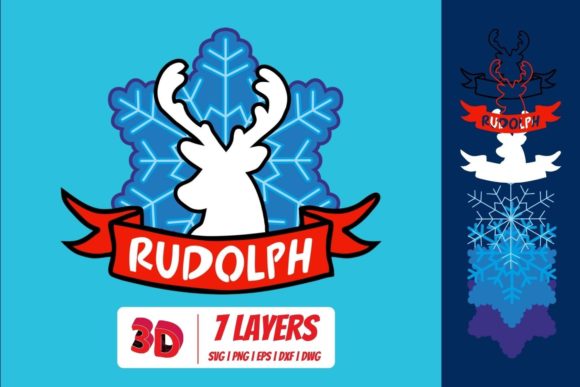
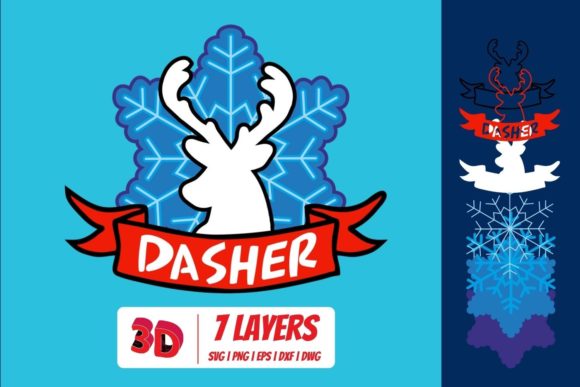
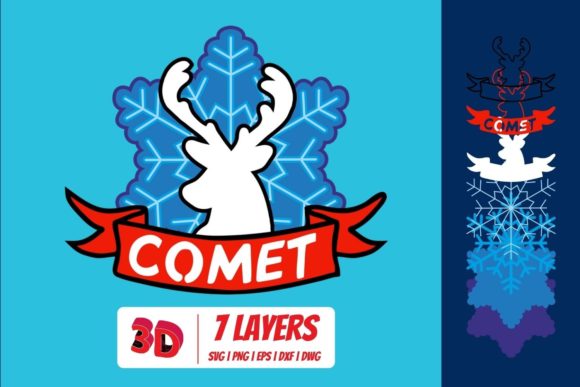
The Moose 3D Layered SVG Cut File features an 8 Layers Design, which allows for intricate detailing without overwhelming the viewer. Each layer contributes to the overall form, building up the antlers, facial structure, and body contours. This technique not only enhances the visual appeal but also provides a satisfying assembly process for creators who enjoy hands-on crafting. It turns a simple cutting task into a miniature construction project, rewarding patience and precision with a piece that looks like it belongs in a gallery.
What’s Inside the Digital Package?
One of the biggest advantages of purchasing a comprehensive digital cut file is the flexibility it offers across different software platforms and machine types. When you acquire the Moose 3D Layered SVG Cut File, you aren’t just getting a single image; you are receiving a complete toolkit for production.
- Vector Files: You will receive AI, EPS, SVG, and PDF formats. These are crucial because they allow you to scale the design to any size without losing quality. The files come in both stacked and spread layer configurations, giving you the option to see how the pieces fit together or to easily sort them by color and material type.
- DXF File: Included for compatibility with older software versions or specific laser engraving workflows.
- Raster Files: JPG and PNG files are provided for quick previews or use in programs that do not support vector editing.
- Assembly Guide: A quick guide ensures that even beginners can align the layers correctly, minimizing frustration during the build process.
- Creative Inspiration: Ideas for colors and materials help spark imagination if you are unsure where to start.
It is important to note that this is a digital download. After purchasing, you will receive a ZIP archive containing all these file types. First, you need to extract the files from the ZIP archive to your computer. From there, you can upload the specific format required by your cutting machine software, such as Cricut Design Space, Silhouette Studio, or LightBurn.
Creative Applications and Material Choices
The beauty of this design lies in its adaptability. While the guide suggests using double adhesive foam for cardstock layers to create a pop-out effect, the possibilities extend far beyond paper crafts. Here is how different users can interpret this design for various goals and contexts.
Home Decor Enthusiasts
For those looking to decorate their homes, natural materials work exceptionally well. Consider using birch plywood or MDF (Medium Density Fiberboard) for a rustic, cabin-chic look. Staining the layers in varying shades of brown and tan can mimic the fur texture of a real moose, adding realism. Alternatively, painting the layers in monochromatic tones—such as navy blue, charcoal gray, or forest green—can make the piece feel more modern and abstract, fitting seamlessly into a minimalist bedroom or office.
Small Business Owners and Sellers
If you sell handmade goods on platforms like Etsy or at local craft fairs, this file opens up a lucrative revenue stream. Because you own the rights to produce and sell the physical projects, you can create a signature collection. Differentiate your products by offering premium materials, such as acrylic for a sleek, industrial vibe, or leather for a luxurious, tactile finish. Packaging matters too; presenting the layered art in a sturdy box with a thank-you note adds perceived value, encouraging customers to leave positive reviews and return for future designs.
Educators and Hobbyists
For educators teaching geometry or spatial reasoning, this project serves as an excellent practical application. Students can learn about scaling, alignment, and the importance of precise cuts. For hobbyists, it offers a relaxing weekend project that results in a tangible achievement. The step-by-step nature of assembling eight distinct layers encourages mindfulness and focus, providing a digital detox experience that ends with a beautiful display piece.
Best Practices for Assembly and Finish
To ensure your final product looks clear, effective, and organized, follow these practical recommendations:
- Test Cuts: Always run a test cut on scrap material first. This helps you calibrate your machine’s pressure and speed settings, preventing wasted materials.
- Layer Sorting: Before cutting, organize your digital files by layer number. Assign a specific color or material type to each layer in your design software. This makes the physical sorting process much faster and reduces errors during assembly.
- Adhesive Choice: For paper or cardstock, double-sided foam tape is ideal for creating depth. For wood or acrylic, consider using strong liquid adhesives or epoxy to ensure the layers remain securely bonded over time. Ensure the adhesive is applied evenly to prevent visible glue spots.
- Alignment: Use the guide provided to align the layers. If you are working with larger pieces, consider using registration marks or temporary tape to hold layers in place while you apply adhesive.
Conclusion
The Moose 3D Layered SVG Cut File is more than just a set of instructions; it is an invitation to create something meaningful. Whether you are designing a gift for a friend who loves the outdoors, adding character to your own space, or growing your creative business, this file provides the foundation for success. Its combination of detailed layering, versatile file formats, and clear guidance makes it accessible to beginners while still offering enough complexity to challenge experienced makers. By exploring different materials and color palettes, you can turn a digital concept into a lasting piece of art that celebrates the beauty of nature.